Get the MONEI Pay app for easy payments on the go


- Products
E-commerce payments
In-person payments
- Integrations
- Businesses we Serve
- Resources
- Pricing
- Dashboard

Products
E-commerce payments›
In-person payments›
Omnichannel payments›
Payments security›
Other features›
Integrations
Payment methods›
E-commerce platforms›
Businesses we Serve
Resources
Pricing
Bizum for Shopify: convert more Spanish shoppers
Give customers the payment method they use every day. MONEI connects Bizum to your Shopify checkout and your physical store, so you can take instant, secure mobile payments from millions of Bizum users across Spain.


Benefits of accepting Bizum payments
Adding Bizum to your Shopify store has many advantages for your e-commerce business:
- Reach more customers. Bizum has 30+ million users in Spain, and hundreds of thousands of merchants already accept it.
- Immediate transactions. With Bizum, money flows from your customer's account to your business bank account in under five seconds.
- No chargebacks. Bizum doesn’t allow chargebacks, protecting your e-commerce site against fraudulent activity.
- Safe and secure. Bizum complies with PSD2 and SCA regulations.
- Control over availability. Enable Bizum payments for specific transactions — for example, for a maximum purchase amount.
- Supported by all central Spanish banks. Bizum partners with CaixaBank, Santander, Sabadell, Bankia, Kutxabank, Caja Rural, Unicaja, and ABANCA.
Accept Bizum payments and many other Shopify payment methods
Adding Bizum to your Shopify store is a good start, but it shouldn’t be the only payment method you accept. Consumers are looking for many payment methods at checkout.
Connect with MONEI to accept:
- Credit and debit cards
- Digital wallets like Paypal, Apple Pay, Google Pay, and Click to Pay
- Local payment methods like Multibanco or MB Way (Portugal), SEPA Direct Debit (EU)

Looking to accept Bizum payments in person?
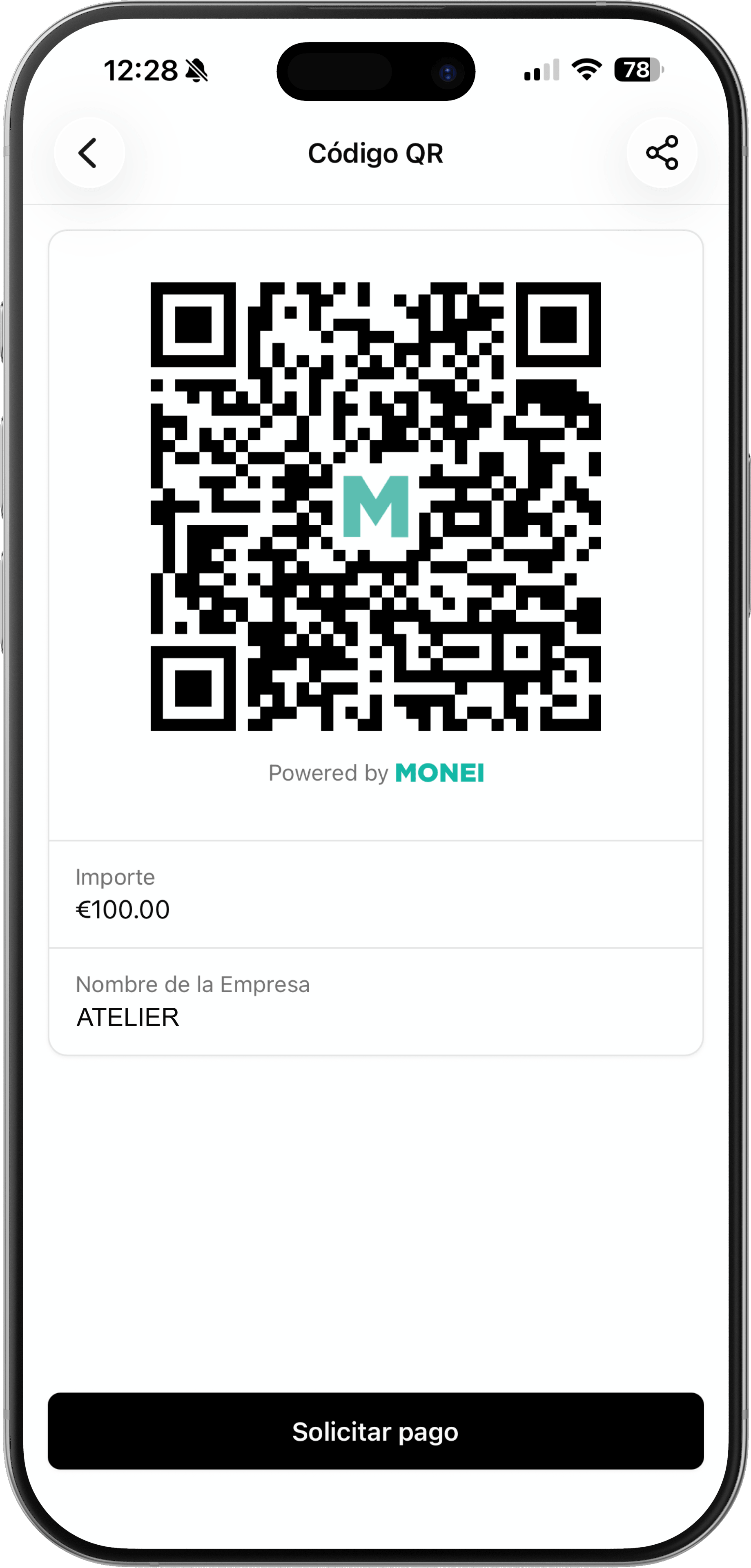
Accept Bizum payments anywhere (in-store, on the go, at events, or in your restaurant) with MONEI. Use digital QR codes or NFC technology to take Bizum payments from your smartphone or tablet.
All your customers have to do is scan the QR code to pay with their mobile device and complete the transaction with the tap of a button. It’s contactless, secure, and speeds up the checkout process.
Power your omnichannel payments with MONEI.
How to configure Bizum in Shopify
Connect your Shopify store with MONEI to add Bizum as a payment method in just a few short steps:
2
Bizum activates automatically once your account is approved.
3
Connect MONEI to your Shopify store
4
Learn how to configure all payment methods


What MONEI merchants are saying
 Rating


Felipe Martin
A week ago
The best online payment aggregate out there

Juan M
A week ago
Super intuitive and easy to use

Beautify Box
A week ago
We have integrated Monei as our secure payment gateway, in a simple, fast and completely secure way. It also offers us payment methods such as Bizum, which increases the conversion of payments and gives options to all customers. The commissions with respect to others are lower and also the customer service in Spain is very efficient. Thank you

OrtoPrime España
Two weeks ago
100% recommended. An optimal payment gateway that quickly adapts to the changes and improvements required in electronic commerce. We are very happy to work with the MONEI team!

Biel Tenias Tenas
A month ago
We use it every day to collect from our firm's clients and I can only recommend it to everyone. VERY LOW commissions and the next day you have the money deposited in your checking account. 10/10.

Mar Sánchez Orduna
A month ago
I give this application a 10 for my online store since thanks to it my clients can pay with bizum and other means of card payment, increasing my conversion rate. It is very simple and intuitive and anyone can connect their ecommerce to Money. They also have a super responsive support that answers all your questions. Highly recommended.

Catherin Barajas guerrero
Two months ago
I use MONEI for my business and so far it works great. It is easy to integrate and the customer service is very good. I recommend it

Andres Varela
Three months ago
Highly recommended

David Hart Socias
Four months ago
Very good service. Our users asked us to pay for bizum and since we implemented it, the conversion rate of the web has increased!

Lluis Cufi
Four months ago
I've been using MONEI apps and MONEI Payments Platform for many years and I have only good words for them. The service is absolutely perfect, great customer service and very reasonable prices. I totally recommend it!
Bizum for Shopify frequently asked questions
Yes, but Bizum on Shopify Payments is in early access, so not every merchant has it yet. It’s also limited to orders up to €5,000. With MONEI, you can turn on Bizum today, accept payments up to €50,000, and accept Bizum in person.
With MONEI, Bizum costs 1.29% + €0.25 per transaction, plus a €0.17 acquiring fee. There’s no setup fee and no monthly minimum. High-volume businesses can contact sales for custom pricing.
You need a MONEI account and a Shopify store that is live and publicly accessible. Bizum is activated automatically once your MONEI account is approved, which usually takes 48–72 working hours. You then activate it in your Shopify payment settings.
Customers select Bizum at checkout and enter the phone number registered with Bizum. They confirm the payment in their banking app, then return to your store. They don’t need a card or a separate account.
No. Bizum is only available to customers whose bank account is held in Spain and enrolled in Bizum. It’s supported by most Spanish banks, including CaixaBank, Santander, Sabadell, BBVA, and ABANCA. For international shoppers, MONEI also supports cards, Apple Pay, Google Pay, Multibanco, MB WAY, and PayPal.
Yes. You can issue full or partial refunds for up to 180 days after the original payment. MONEI doesn’t charge a fee for full refunds, but the €0.17 acquiring fee is not returned.
An online Bizum payment can be up to €50,000 with MONEI, although the customer’s bank may set a lower limit. You can also set your own maximum amount, for example, to show Bizum only on orders below a certain value.
Yes. Customers authenticate every Bizum payment in their banking app, meeting PSD2 and SCA requirements and reducing fraud risk. Payments are tied to a verified bank account, so you know the money comes from a real customer.
Yes. Bizum with MONEI works alongside your existing payment methods. You don’t need to switch providers to offer Bizum to your Spanish customers; however, with MONEI you can offer a range of major and local payment methods from a single integration.
Yes. With MONEI’s hardware-free POS app, you can process Bizum payments in-store, at events, or on the go. Customers can scan a QR code or pay through a payment request sent to their phone. You only need a smartphone or tablet.
