Get the MONEI Pay app for easy payments on the go


- Products
E-commerce payments
In-person payments
- Integrations
Payment methods
E-commerce platforms
- Businesses we Serve
- Resources
- Pricing
- Dashboard

Products
E-commerce payments›
In-person payments›
Omnichannel payments›
Payments security›
Other features›
Integrations
Payment methods›
E-commerce platforms›
Businesses we Serve
Resources
Pricing
Quickly and easily add card payments to WooCommerce
To accept card payments in WooCommerce, you need a payment gateway that connects to your store. With MONEI, once you install our free WordPress extension, you can accept domestic and international debit and credit cards such as Visa, Mastercard, JCB, Diners Club and more.
Use our advanced payment gateway to set up and manage multiple payment methods in a single dashboard. Accept fast and secure card payments in your WooCommerce store.


Accept card payments and more payment methods in your WooCommerce store
Cards are the essential payment method, but they shouldn't be the only one you accept in your WooCommerce store. Shoppers today are looking for new ways to pay online, including:
- digital wallets like Paypal, Apple Pay or Google Pay
- local payment methods such as Bizum in Spain, or MB Way and Multibanco in Portugal
Accepting more payment methods helps you reach more people, improve customer satisfaction, and boost sales. That's why we combine all major and alternative payment methods in one platform.
Grow your sales revenue
Approve more payments, improve the checkout experience, and increase conversion rates thanks to our payments orchestration feature. Instead of depending on Redsys alone to process credit card payments, our smart routing technology sends online transactions to multiple payment processors. This way, if one is experiencing downtime, the payment is routed to the best-performing processor to reduce online payment failures.


Enjoy the lowest WooCommerce payment gateway transaction fees
As you sell more, you’ll pay less on transaction fees, thanks to our dynamic billing model. We’re the only payment gateway to offer sliding scale pricing so you’re left with more money to reinvest and grow your e-commerce business.
Use a WooCommerce payment gateway that helps you scale your online store — view pricing here.
Advantages of MONEI's WooCommerce extension
Your brand on the checkout page
Customize your checkout page with your logo, brand colors and company domain. Your customers pay without being redirected to a third party, which builds trust and increases conversion.
Security and compliance, covered
MONEI is 3D Secure 2.0, PSD2 and PCI DSS Level 1 compliant, so we take care of payment security for every card payment.
MONEI is an authorized payment institution registered with the Bank of Spain under No. 6911.
Express checkout and WooCommerce Blocks
Let your customers pay in a few clicks with Apple Pay, Google Pay or PayPal, using the details already saved in their account. The extension also supports WooCommerce Blocks, so you can use the modern Cart and Checkout blocks instead of the legacy shortcodes.
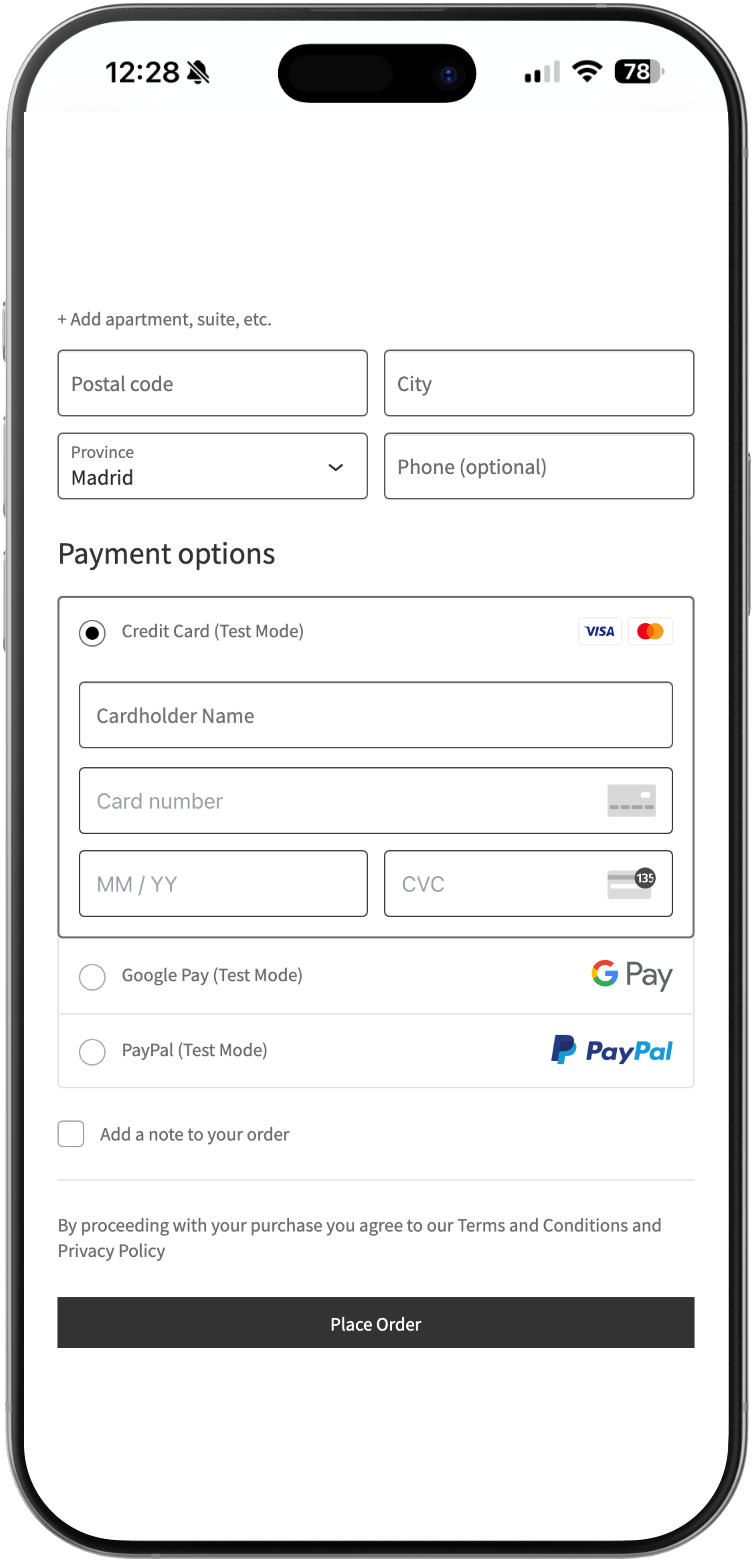
Connect your WooCommerce store with MONEI to start accepting card payments
Install MONEI's free WordPress extension and start accepting card payments in a few short steps. Wondering how it works? View a live WooCommerce demo here.
1
Install the MONEI plugin
In your WordPress dashboard, go to Plugins → Add New, search for MONEI, then click Install and Activate. The plugin is free.
2
Copy your API credentials
In your MONEI Dashboard, go to Settings → API Access and copy your Account ID and API Key.
3
Connect your store
In WooCommerce, go to Settings → MONEI Settings, paste your Account ID and API Key, and choose test or live mode.
4
Enable card payments
Go to WooCommerce → Settings → Payments and enable MONEI card payments. You can also turn on Bizum, Apple Pay, Google Pay or PayPal.
5
Test and go live
Place a test order in test mode, then switch to live mode to start accepting real payments.


Card payments for WooCommerce FAQ
You need a payment gateway that connects to WooCommerce. With MONEI it takes three steps: sign up for MONEI, enable card payments in your dashboard and install the MONEI extension for WooCommerce from the WordPress plugin directory.
You can accept domestic and international debit and credit cards from Visa, Mastercard, JCB, Diners and UnionPay.
Yes. With MONEI you can also accept PayPal, Apple Pay, Google Pay and Bizum, and manage all your payments from a single dashboard.
You can also accept installment payments with our MONEI Flex option.
MONEI doesn't depend on Redsys alone. Thanks to payments orchestration, our smart routing technology sends each transaction to the best-performing processor, which reduces online payment failures.
Yes. MONEI is an authorized payment institution registered with the Bank of Spain's Registry of Payment Institutions under No. 6911, and is PCI DSS Level 1 certified, among other security measures.
MONEI uses a dynamic billing model: the more you sell, the less you pay in transaction fees. Check current prices on our pricing page.
